

How price changes work
A price becomes locked as soon as it has members, including active, canceled, and expired subscriptions. Once a price is locked, you can’t change settings that affect how members are billed, including:- the price amount
- renewal pricing
- billing interval
- renewal day
- number of renewal payments
- group subscription settings, including seat pricing and seat limits
Create a new price
When you want to increase or decrease pricing, duplicate the existing price and update the copied version.1
Open the plan
Go to Revenue → Plans and select the plan you want to update.
2
Duplicate the price
In the Prices section, click the ••• menu next to the price and select Duplicate price.If the price is locked, you can also click Duplicate price from the message displayed at the top of the price settings.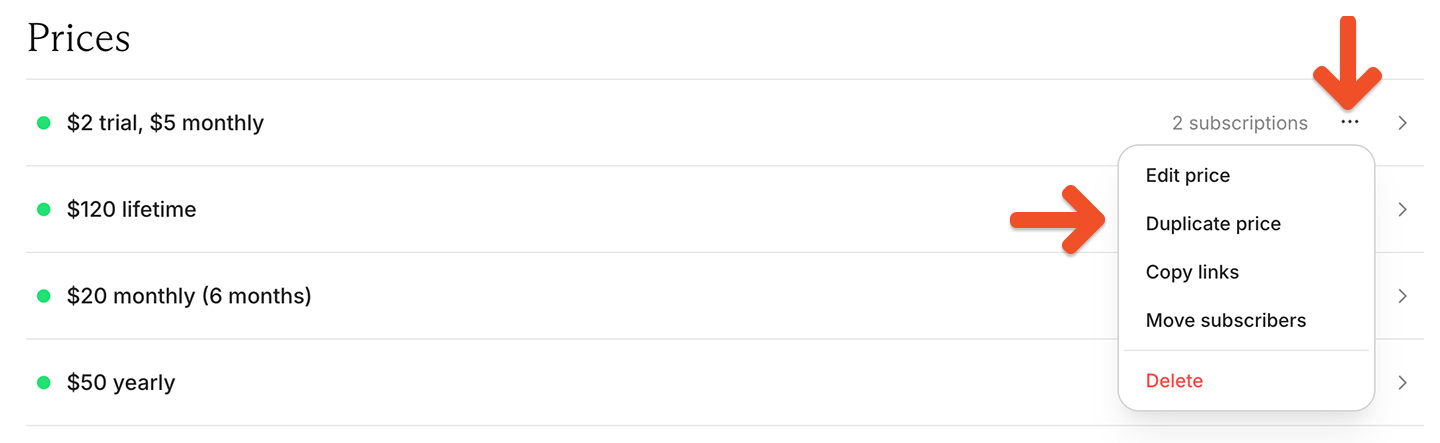
3
Update the price settings
Review the copied settings, update the amount and any other settings you want to change, and click Save price.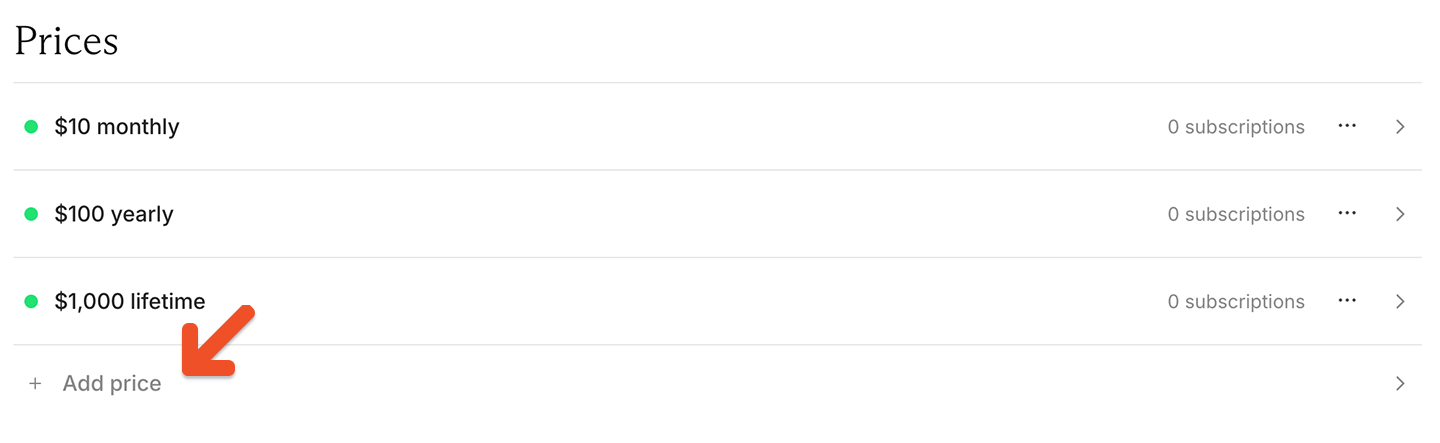
4
Copy the checkout link
After saving, Memberful displays a confirmation message with the new checkout link. Copy the link and update any links, buttons, or landing pages that should use the new price.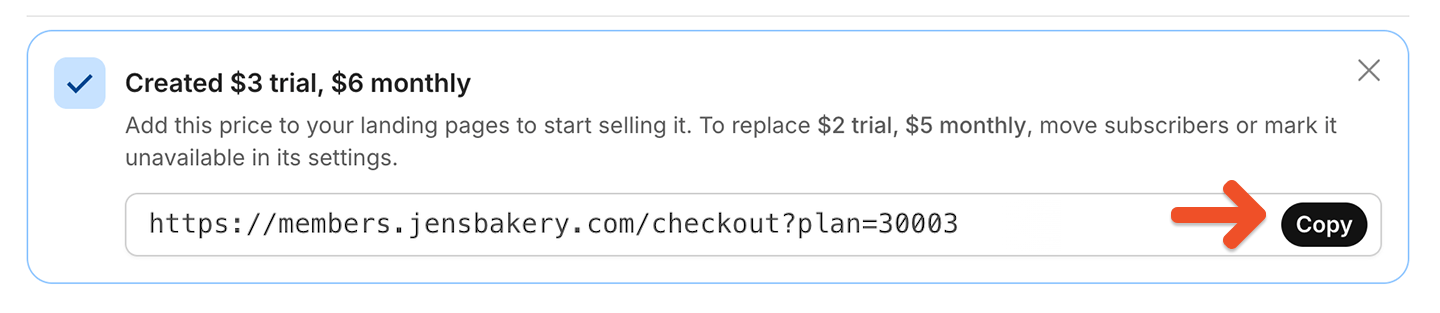
What happens to existing members?
Creating a new price does not automatically change existing subscriptions. Members who already subscribe to the original price continue renewing at that price unless you move them to the new one. If you want existing members to use the new price, see Move all members of a plan.Retire an old price
After creating a replacement price, you may want to stop new purchases at the old amount. To do this, make the old price unavailable. For instructions, see Control price availability.If you make a price unavailable, members whose subscriptions expire won’t be able to reactivate at that price. They’ll need to subscribe using another available price.